AI Workflow Automation: Patterns and Examples
Automation fails at the handoffs, not the model call. Read five workflow patterns, a worked example, and the controls that keep them reliable.
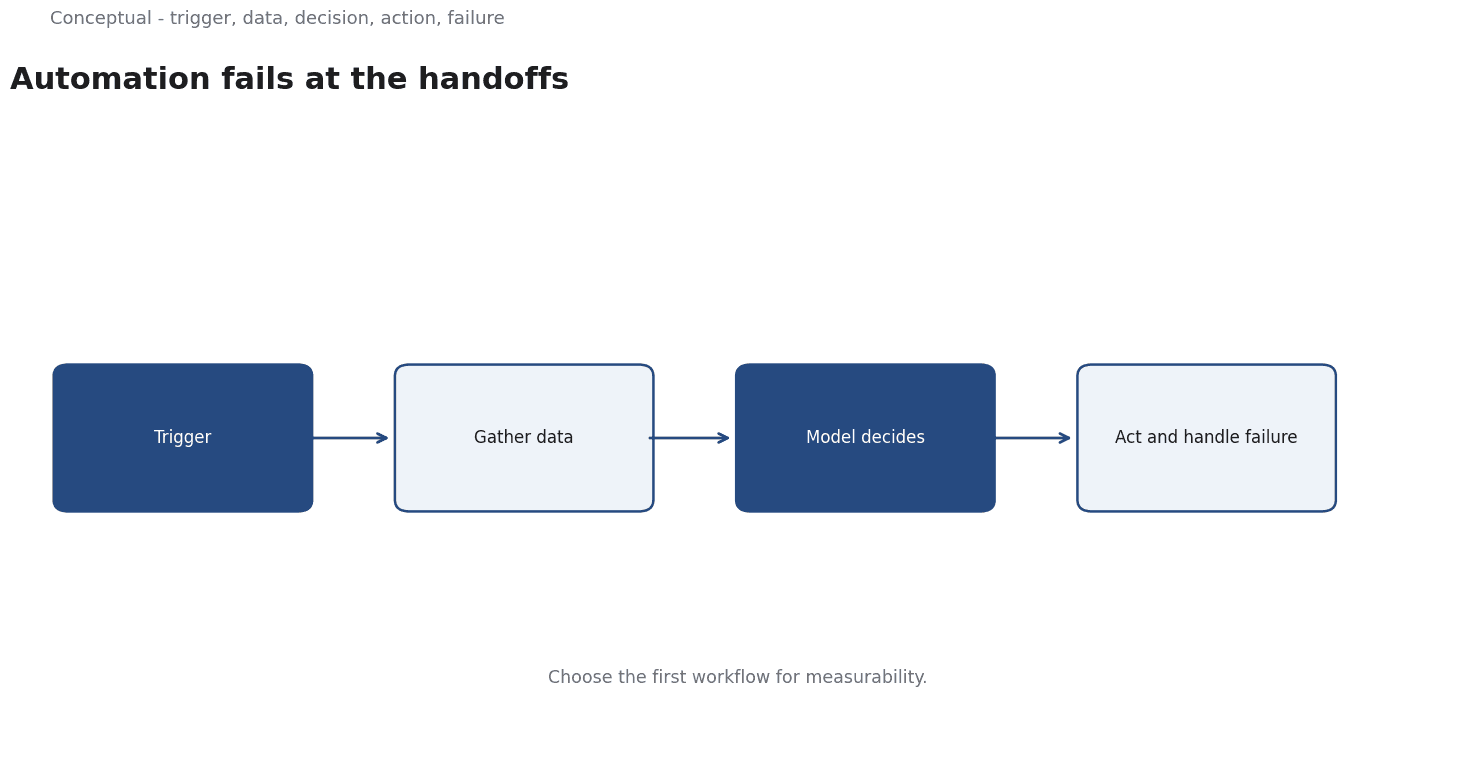
A workflow is more than a model call. It includes the trigger, the data gathered beforehand, the decision the model makes, the action that follows, and the handling of failure. Automation projects that focus only on the model call produce demos that work once and systems that fail at the seams.
Direct answer: The useful patterns are classification-and-route, extract-and-validate, draft-and-review, monitor-and-escalate, and retrieve-and-answer. Anthropic publishes production guides for ticket routing, customer support agents, content moderation and similar use cases — concrete instances of these patterns. The boundary: a pattern is a skeleton; reliability comes from defining failure states, review points, and measurement around it.
Five patterns
1. Classify and route. Read an input, assign a category, send it to the right destination. This is the simplest automation because the output is small and errors are recoverable. Ticket routing is the canonical example.
2. Extract and validate. Pull structured fields from a document, then check them against a schema or a second source. An invoice processor that extracts an amount and verifies it against the purchase order is this pattern.
3. Draft and review. Produce a first version of a reply or document, with a person approving before it is sent. The human-in-the-loop article covers the review design.
4. Monitor and escalate. Watch a stream of events, flag the ones that need attention, and pass them to a person with context. Anomaly detection is often the upstream mechanism.
5. Retrieve and answer. Find relevant material, then generate a response grounded in it. RAG is the full treatment of this pattern.
The patterns compose. A support workflow may classify a ticket, retrieve relevant policy, draft a reply, and escalate when confidence is low.
A worked example of a composed workflow
The following numbers are hypothetical and illustrative.
A support team handles 3,000 tickets a day. A manual ticket takes 12 minutes. The proposed workflow classifies each ticket, retrieves relevant handbook sections, drafts a reply, and sends it for human review only when the draft's confidence is low.
- Auto-handled (assume 60%): 1,800 tickets at 3 minutes of review each = 5,400 minutes.
- Escalated (40%): 1,200 tickets at 12 minutes = 14,400 minutes.
- Total: 19,800 minutes ≈ 330 hours, versus 600 hours manually — about 45% saved.
Three frictions change the result:
- Misclassification. If 5% of auto-handled tickets were routed wrongly, 90 tickets need rework. At 8 minutes each, add 12 hours.
- Low-confidence detection. If the confidence signal is poorly calibrated, some wrong drafts go out unreviewed. The reduce-hallucinations article shows how citation checks help.
- Retrieval coverage. If the handbook lacks the answer, the draft will be weak and the escalation rate will rise. The measured saving depends on document quality, not model quality.
Three decisions follow:
- Start with the classification stage. It is the easiest to measure against existing labels and determines the rest of the flow.
- Keep review on irreversible actions. Sending a customer a wrong reply has a cost; drafting one does not.
- Measure the combined system, not each stage. A 95% accurate classifier feeding a 90% accurate drafter is not a 95% accurate workflow.
Choosing the first workflow
The first automation should be chosen for measurability, not for ambition.
Three properties make a good candidate:
High volume with a repetitive shape. A task performed hundreds of times a day with roughly the same structure gives enough examples to evaluate. A task performed twice a week does not repay the setup cost, and the model has too few cases to learn from.
Recoverable errors. If a wrong output is caught before it reaches a customer or a financial system, the workflow can be improved safely. An irreversible action — sending a payment, deleting a record — belongs in a later phase once the earlier stages have been measured.
An existing baseline. If the team knows the current handling time, error rate, and cost, an improvement can be demonstrated.
These criteria explain why ticket routing and document extraction are common first projects while autonomous decision-making is not. The former have labels and a baseline; the latter has neither, and its errors are expensive.
A team that starts with the hard case often spends months discovering what a simpler project would have taught in a week.
What automation does not remove
It does not remove the need for ownership. Someone must own the workflow when it fails, the escalation path, and the stop condition. The AI integration blueprint covers the sequence.
It does not remove drift. Inputs change, products change, and policies change. A workflow tuned in one quarter may misroute in the next. Schedule re-evaluation on change.
It does not make human work disappear. It changes the nature of the work: fewer routine cases, more exceptions. That can be more demanding, which is a people and training issue as much as a technical one.
The counterargument — that end-to-end agents make these patterns unnecessary — is premature. An agent is a composition of the same stages with more autonomy, which means the failure surfaces multiply, as the autonomous-business article explains.
A decision test
- Name the stage — classification, extraction, drafting, monitoring, or retrieval.
- Define the failure state at each stage and who notices it.
- Choose the review point at irreversible actions.
- Budget the review time against arriving volume, as in the worked example.
- Measure the combined system on a labelled set.
- Keep a stop condition and an owner.
- Re-evaluate on change, not on a calendar alone.
For the production discipline, see AI Integration Into an Existing Business; for the specific use cases, see What LLMs Actually Solve.
References & Further Reading
- Anthropic, 2026. Guides to common use cases - Claude Platform Docs — Production use-case guides for ticket routing, customer support agents, content moderation, legal summarization and commerce agents.
- U.S. Department of Labor, 2026. O*NET OnLine — The standard occupational taxonomy used to compare roles across industries.