Server-side Tagging Trade-Offs
A bounded look at moving analytics tags from the browser to a server: what changes for data control, privacy, and latency, and where the trade-off is not worth making.
Moving analytics tags from the browser to a server is often presented as an unqualified upgrade for privacy and data quality. In practice it is a trade: you gain control over what is collected and how it is forwarded, but you take on infrastructure, latency, and new failure modes. Teams that adopt it without naming those costs tend to discover them only after their reports have drifted.
Direct answer:
Server-side tagging routes data through a server you control before it reaches analytics or advertising endpoints, which reduces browser-side exposure and lets you filter what leaves your environment.
The trade is that you now own an always-available service, accept added network hops, and must still respect consent. It improves control, not truth.
Delta: This article adds a bounded cost map beyond the sources: it maps the tag manager and privacy sandbox concepts to the specific decision of when a team should move tags server-side, with claim status made explicit.
The mechanism
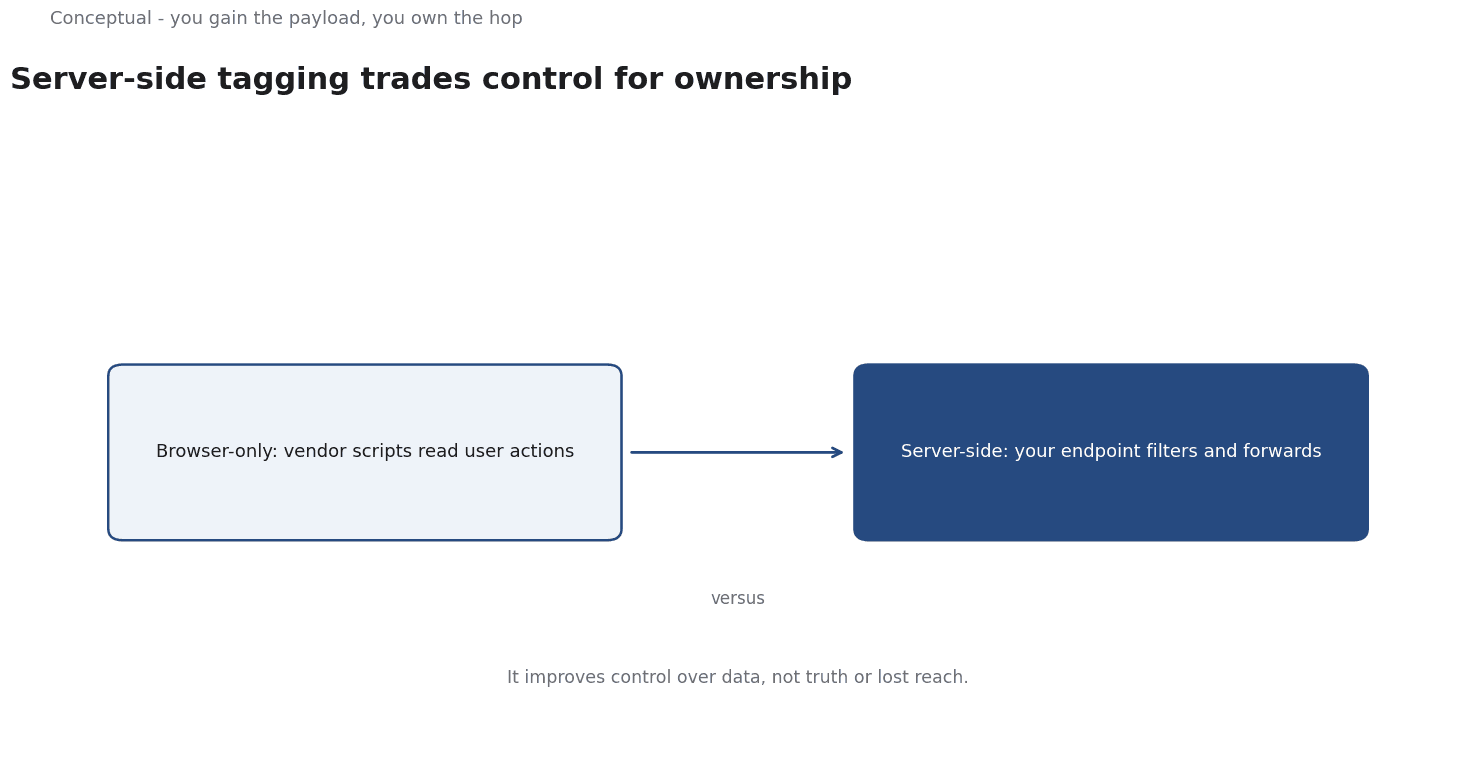
The Google Tag Manager documentation describes a server-side container as a tag environment that you host, rather than one injected into the page. In the browser-only model, the page loads scripts directly from third-party vendors, and those scripts can read what the user does. In the server-side model, the browser sends a single request to an endpoint you control, and that endpoint decides what to forward. The practical consequence is a point of control: you can inspect, filter, or enrich the request before any vendor sees it. That is the entire architectural change, and every benefit and cost follows from it.
The Wikipedia entry on Privacy Sandbox describes a set of browser technologies intended to limit cross-site tracking while still supporting advertising. As third-party cookies lose support, the signals that browser-side tags relied on become less reliable. Server-side tagging is partly a response to that shift, because it lets a site collect first-party data and forward it under its own control. The important consequence is that this is not a way to recover the old tracking. It is a way to operate with fewer and cleaner signals. A team that expects server-side tagging to restore cookie-level reach will be disappointed, because the browser still decides what the site is allowed to know.
The same architecture introduces costs. Every request now travels from the browser to your server and then to the vendor, adding at least one network hop. That hop adds latency and a dependency: if your endpoint is slow or down, data stops flowing even though the website works. You have moved a failure point from the vendor's infrastructure to your own. The benefit is control over the payload; the price is ownership of availability. Teams must therefore treat the tagging endpoint as production infrastructure with monitoring and capacity planning, not as a marketing script that can be edited casually and forgotten.
A worked example
The following is hypothetical and illustrative. An online retailer wants cleaner purchase data after losing cookie-based attribution. It moves tags to a server-side container and sends a single event to its own endpoint, which forwards a filtered payload to the analytics vendor. Three checks settle the trade. First, control: the team confirms it can strip a user identifier before forwarding, something the browser tag could not do. Second, data fidelity: it compares server-side event counts with on-site transaction totals and finds a small loss from requests that failed before reaching the endpoint. Third, latency: it measures the added hop and finds it negligible for reporting but noticeable for real-time personalisation. The outcome is a qualified yes: better control and acceptable loss for reporting, but not yet a basis for latency-sensitive features. The team keeps the browser tag for the personalisation path and uses the server path only for reporting.
Evidence status
| Claim | Status | Source | Verified | Recheck when |
|---|---|---|---|---|
| A server-side container runs on infrastructure you control | source-reported | Google (Tag Manager documentation) | 2026-11-18 | if the product architecture changes |
| Privacy Sandbox limits cross-site tracking | source-reported | Wikipedia (Privacy Sandbox) | 2026-11-18 | if browser APIs are revised |
| The main benefit is control rather than data recovery | inferred | Derived from the sources | 2026-11-18 | if new evidence shows reach gains |
The table keeps architecture and intent separate from judgement. The two source-reported rows describe what the technologies are, while the inferred row is the article's interpretation of what they are good for. That interpretation depends on the goal: for a team that wants cleaner first-party data it holds, and for a team that wants to restore lost tracking it does not. Recheck it when browser privacy rules shift again.
What it cannot do
Server-side tagging cannot recover the tracking that browser privacy changes have removed. It gives you control over the data your site already collects, but it cannot conjure cross-site identifiers that the browser no longer provides. A team that adopts it hoping to rebuild a disappearing attribution picture will end up with a cleaner version of a smaller dataset. The architecture changes where processing happens, not what the user's browser is willing to reveal.
The hidden cost is ownership. A server-side container is a service that must be deployed, monitored, patched, and scaled. That requires engineering time and skills that a marketing team may not have, and it creates an internal dependency on the people who maintain the endpoint. When those people are busy elsewhere, the tagging pipeline quietly degrades. The cost is not the software, which may be free, but the ongoing responsibility for an always-on system that sits in the path of every analytics event. That responsibility includes capacity planning, incident response, and the mundane work of keeping credentials and endpoints current.
The main failure mode is silent data loss. If the endpoint rejects requests or a vendor forwards incorrectly, the website keeps working and the reports simply contain less data. Unlike a broken script, which may throw visible errors, a partially failing server path can produce plausible-looking numbers that are wrong. Debugging is harder because the request crosses several systems, and no single log shows the whole journey. A team needs end-to-end checks that compare sent events with a trusted source such as order totals, or it will not notice the drift until someone questions the dashboard months later.
There are boundaries where the trade is not worth making. A small site with modest traffic and simple reporting needs gains little from an extra hop and takes on real operational burden. A team without an engineer to own the endpoint should not deploy one, because an unmaintained container is worse than a browser tag that at least fails visibly. And where events must drive instant on-page decisions, the added latency can outweigh the control benefit. In these cases the honest answer is to keep tags in the browser and accept the limitations rather than adopt a pattern designed for larger or more privacy-sensitive operations.
The arrangement also needs review. Consent requirements do not disappear because data passes through your server; you must still honour a user's choices, and the rules governing that are still evolving. As browser APIs and regulations change, the set of data you are allowed to forward will change with them. A team should schedule a periodic audit of what the container collects and forwards, and confirm that each field still has a purpose. A server-side tag that quietly accumulates fields over time is a liability, not an asset, and it deserves the same scrutiny as any other data collection point.
The counterargument that server-side tagging is simply more accurate is fair for payload control and incomplete for completeness.
You control what you forward, but you also own every gap created along the path, and gaps are easier to hide on a server than in a browser script.
A decision test
- State the specific problem the move is meant to solve.
- Inventory the tags and the data each one currently sends.
- Confirm an engineer can own an always-available endpoint.
- Measure the added latency against any real-time use case.
- Verify consent choices are honoured on the server path.
- Set end-to-end checks against a trusted source such as orders.
- Schedule a periodic audit of what is collected and forwarded.
A decision test works when the problem is named first. If the goal is cleaner first-party collection, the trade is usually defensible; if the goal is to restore lost cross-site tracking, no amount of infrastructure will deliver it. Record the goal, the owner, and the checks before migrating, and revisit them when browser rules change rather than assuming the original trade still holds.
For related context, see Marketing Dashboards without the Hype.
References & Further Reading
- Google, 2026. About Google Tag Manager | Tag Platform | Google for Developers — Primary documentation on tag management and server-side tagging options.
- Wikipedia contributors, 2026. Privacy Sandbox - Wikipedia — Browser proposals to limit tracking while supporting advertising.