GA4 Measurement Mistakes to Avoid
Where GA4 event design and tag configuration go wrong, with a worked purchase-event fix, an evidence table, and the limits of documentation as QA.
Analytics implementations rarely fail because the platform is broken. They fail because events are named inconsistently, parameters are missing, or tags fire more than once. Google's documentation on GA4 events explains the data model, and its Google Tag Manager documentation explains how tags are deployed. The real problem is that these two layers are configured separately, so a mistake at the boundary can corrupt reporting long before anyone notices.
Direct answer: GA4 records interactions as events with names and parameters, while Google Tag Manager controls which tags fire and when. A tag that fires twice or an event sent without its value parameter produces data that looks complete but cannot support a decision.
Delta: This article adds a decision-facing check beyond the sources: it maps event design and tag triggers to a reporting decision, with claim status explicit.
The mechanism
To avoid measurement mistakes, design the event schema first and then configure tags to match it exactly.
GA4 uses an event-based data model. Interactions are captured as events, each with a name and optional parameters that carry detail such as value or currency. The documentation distinguishes automatically collected events, recommended events, and custom events. The practical consequence is that what a team chooses to name and parameterise determines what can later be analysed. Inconsistent names split the same behaviour across separate rows, and a missing parameter removes the dimension a report depends on. Event design is therefore a design decision, not a clerical detail.
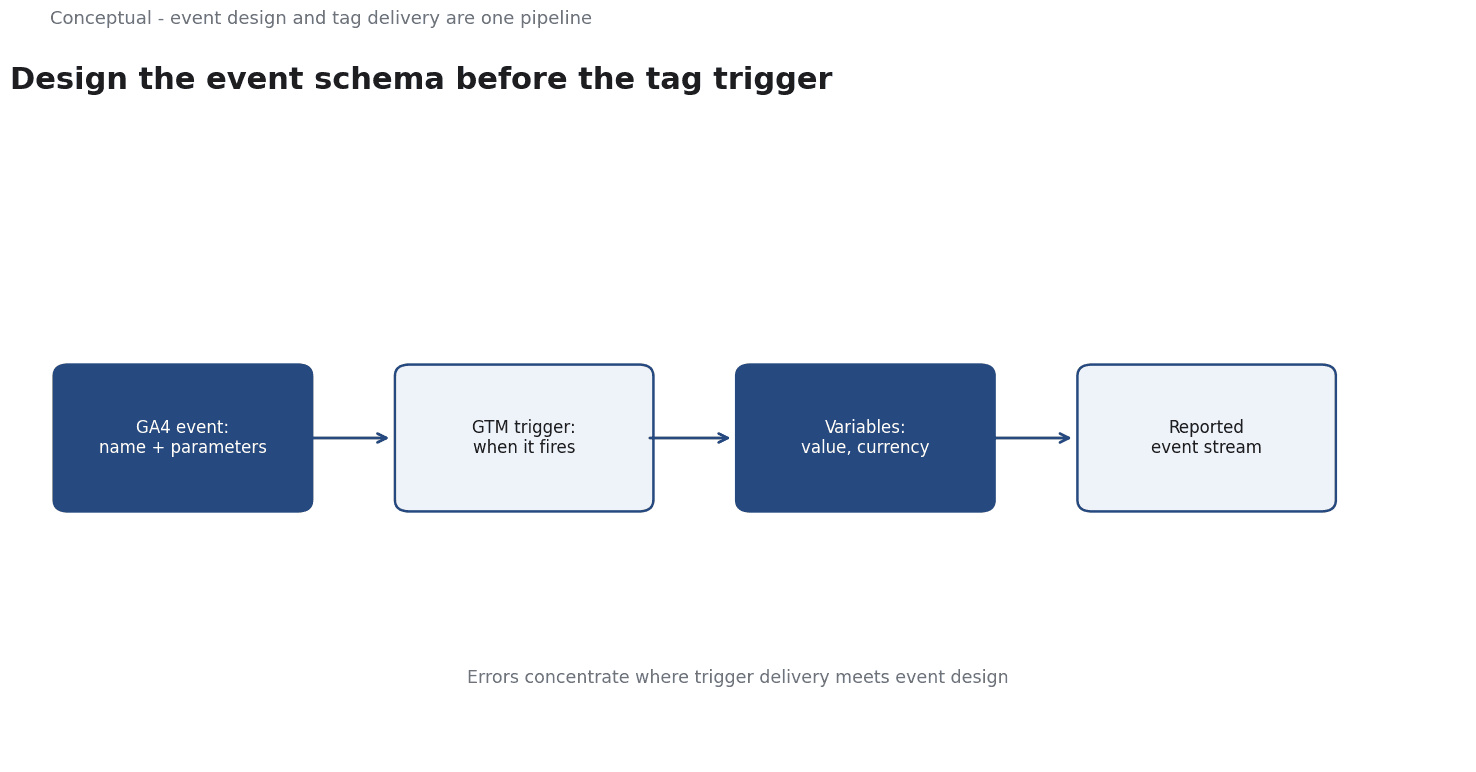
Google Tag Manager is a system for managing tags through a container, using triggers to decide when a tag fires and variables to supply values at runtime. It lets teams change measurement configuration without editing site code. The practical consequence is a lower barrier to change, which is useful and dangerous in equal measure. A trigger that matches too broadly can fire a tag on the wrong pages or twice on the same action, and because the change is configuration rather than code, it can be shipped quickly and propagate widely before anyone checks the result.
The synthesis is to treat event schema and tag configuration as one pipeline. The GA4 documentation defines what should be recorded; the Tag Manager documentation defines how a tag is delivered. Most errors occur where the two meet, when a trigger sends an event that does not match the intended name or parameters. Mapping that boundary to a reporting decision is a judgement about how to use the documentation, not something either source states directly, and it is marked inferred below. Keeping the mark visible prevents a practical checking method from being reported as an official recommendation.
A worked example
The following is hypothetical and illustrative. An e-commerce team wants to measure purchases and adds a purchase event through a tag. The first check is naming: the event uses the recommended name rather than an invented variant, so it groups correctly with other data. The second check is parameters: the tag includes value and currency, and the values match the order total rather than a hard-coded placeholder. The third check is triggering: the tag fires once per completed order, verified by comparing tag firings against a small set of known transactions. The outcome is a correction of a duplicate trigger and a clean event stream. The scenario is invented; the event model and tag concepts come from the sources.
Evidence status
| Claim | Status | Source | Verified | Recheck when |
|---|---|---|---|---|
| GA4 records interactions as events with names and parameters | source-reported | About events (Google Analytics Help) | 2026-11-18 | GA4 event model updated |
| Google Tag Manager manages tags, triggers, and variables in a container | source-reported | About Google Tag Manager (Google) | 2026-11-18 | Tag Manager documentation revised |
| Most measurement errors occur at the event-naming and tag-trigger boundary | inferred | Derived from the sources | 2026-11-18 | Implementation architecture changes |
The first two rows report the documented behaviour of the two products. The third is a practical observation about where errors concentrate, not a claim made by either source, so it is marked inferred. It should be rechecked when the implementation architecture changes, because a different setup can move the risk elsewhere. The table keeps that condition attached to the claim rather than letting it fade into general advice.
What it cannot do
Product documentation cannot tell you whether your own implementation is correct. It defines how events and tags are supposed to work, not what is currently firing on your site. A team can read both sources thoroughly and still ship a duplicate trigger, because the documentation does not inspect the container or the data stream. The sources are a reference for design and troubleshooting, not a quality assurance tool.
Tag Manager does not fix bad event design. It makes configuration easier to change, which means it can just as easily make a wrong configuration easier to spread. If the event name is ambiguous or the parameters are meaningless, a perfectly configured tag will faithfully deliver unusable data. The tool has no concept of what a report needs; it only fires tags according to triggers. The practical consequence is that design has to come before configuration, and a team that starts in the tag container is solving the wrong half of the problem.
A common failure mode is duplication. Two tags can fire on the same action because triggers overlap, or a tag can fire on both a page load and a later event. The result is inflated counts that still look coherent in a dashboard, so the error can persist for months. Missing parameters are the quieter version of the same issue: the event arrives, but the value or currency dimension is absent, and any report built on it silently understates totals. Both failures are hard to spot from aggregate numbers, which is why they survive routine review.
The hidden cost is tag sprawl. As teams add tags for new tools and campaigns, the container accumulates triggers and variables whose original purpose is forgotten. Removing one tag can break an unrelated report because a variable was shared, so nobody removes anything. Over time the configuration becomes harder to reason about, and the risk of a misconfigured trigger rises. Documentation does not prevent this; it only describes the mechanisms that make it possible. Keeping a container understandable is ongoing maintenance that no source performs for you.
The boundary is between configuration and interpretation. The sources explain how to send and manage events; deciding which events matter for a given decision is a local choice. A perfectly implemented event stream is still useless if it does not answer the question a stakeholder is asking, and a clean dashboard can mislead if the underlying definition was wrong from the start. The check therefore has to travel with the decision it supports, and the definitions need a date and an owner so they can be revised when reporting needs change.
Counterargument: "The counterargument that measurement mistakes are a minor technical concern is fair for sites with no decision riding on the data and incomplete where reporting drives budget, forecasting, or optimisation."
A decision test
- State the reporting decision the event is meant to support.
- Choose the event name and list the parameters that decision requires.
- Configure the tag trigger to fire exactly once on the intended action.
- Verify that parameter values come from the real interaction, not placeholders.
- Compare a small set of known actions against recorded events.
- Check for duplication across tags and overlapping triggers.
- Assign an owner and a review date to the event definition.
The test connects the two layers the sources describe. Each step either fixes the schema or checks the delivery, and the final check keeps definitions current as reporting needs evolve. An event stream that passes is not a guarantee of insight; it is evidence that the data was designed for a decision and delivered as intended, which is the precondition for trusting any report built on it.
For further reading, see Marketing Dashboards Without the Hype.
References & Further Reading
- Google Analytics Help, 2026. About events (Google Analytics 4) — How an event is defined as a measurable interaction or occurrence, and why the event model determines what can be reported at all.
- Google, 2026. About Google Tag Manager | Tag Platform | Google for Developers — Primary documentation on tag management and server-side tagging options.