How Small Businesses Can Compete Using AI
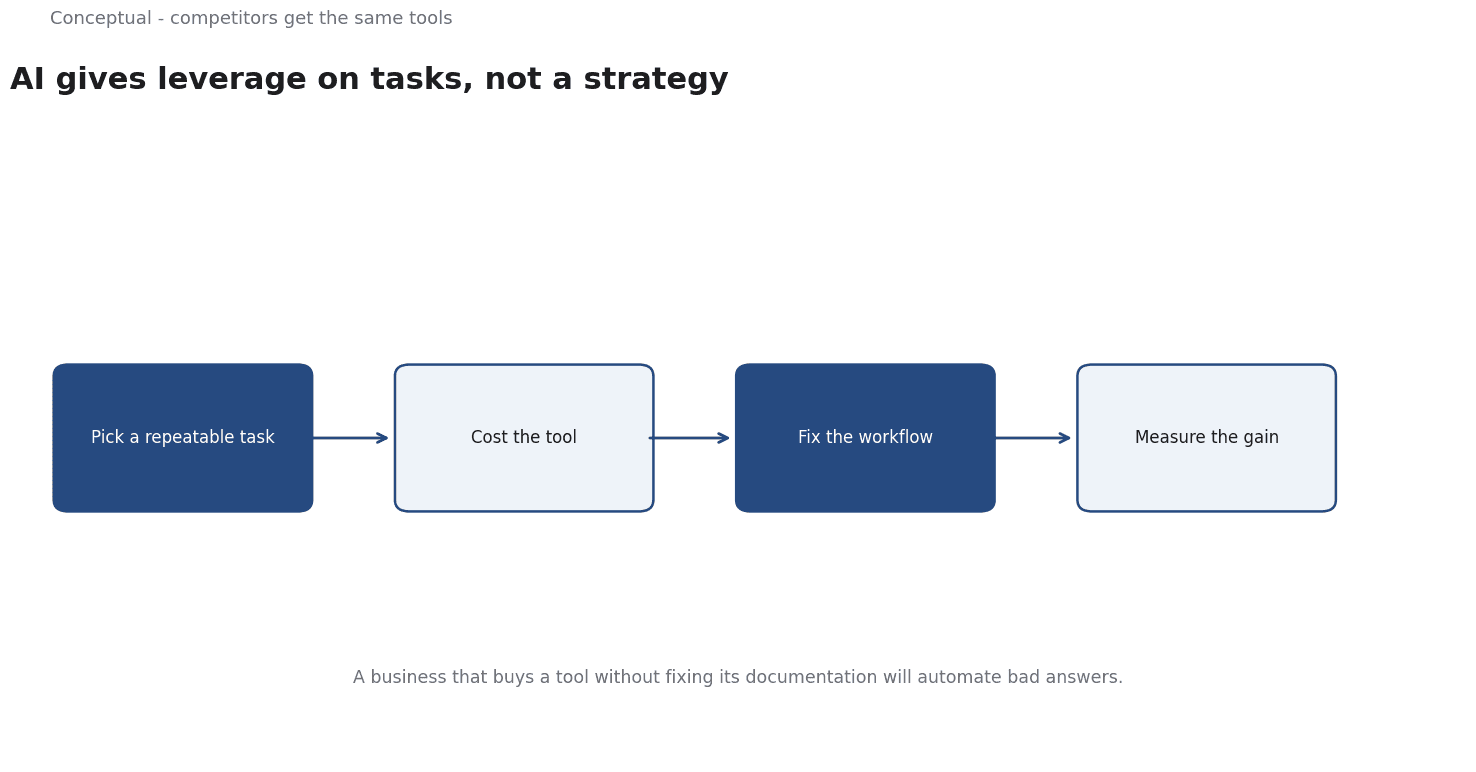
AI gives small businesses leverage on tasks, not a substitute for strategy. Read where the leverage is real, a cost worked example, and the traps.
Small businesses are often told that AI will level the playing field. It can reduce the cost of certain tasks, but a level field also means competitors get the same tools. The useful question is not whether AI helps small businesses in general — it is which task, in which workflow, produces a measurable gain at an acceptable cost.
Direct answer:
AI creates leverage for small businesses when it automates or accelerates a specific, repeatable task that would otherwise require scarce staff time.
Bick, Blandin, and Deming's NBER working paper reports that "as of late 2024, nearly 40 percent of the U.S. population age 18-64 uses generative AI", with 23% of employed respondents having used it at work in the previous week — evidence of rapid adoption, not of productivity. The boundary: adoption is not a result, and the same tools are available to larger competitors with more data and more capital.
Where the leverage actually is
Four task types tend to reward small teams:
Drafting and summarisation. Generating a first draft of routine communication, documentation, or product descriptions reduces the fixed cost of getting started. The human still verifies facts and tone.
Customer support triage. Classifying and routing inquiries can reduce response time without adding headcount, provided there is a clear escalation path for cases the system cannot handle.
Analysis of unstructured text. Reviewing contracts, feedback, or reviews at a scale that would otherwise be impractical is a genuine equaliser — the work was previously available only to firms with analysts.
Internal knowledge retrieval. Finding an answer in company documents saves time that small teams cannot spare. It also exposes gaps in the documents themselves.
The common property is that the output is checked by a person who understands the domain. A small business cannot absorb the cost of an unchecked confident error as easily as a large one.
A worked example of a support workflow
The following numbers are hypothetical and illustrative.
A small business receives 400 support emails a week. A support person takes an average of 12 minutes per email, including looking up information — 80 hours a week, or two full-time roles.
An AI-assisted workflow drafts replies from the knowledge base, and the human reviews and edits. Review takes 5 minutes per email, so the weekly time becomes 400 × 5 / 60 ≈ 33 hours — a saving of about 47 hours a week.
Three adjustments make the estimate honest:
- Not every email is suitable. If 20% require judgement the tool cannot support, those keep the full 12 minutes. Revised time: (320 × 5 + 80 × 12) / 60 ≈ 41 hours, saving about 39 hours.
- Errors have a cost. If 5% of drafted replies contain a factual mistake that reaches a customer, that is 20 errors a week. Even if each costs only 10 minutes to repair and a measure of trust, the saving shrinks and the risk becomes visible.
- Setup is not free. Building and maintaining the knowledge base, testing the tool, and training staff might take 60 hours in the first month. At 39 hours saved per week, the payback is about two weeks — but only if the knowledge base is accurate enough to work.
The lesson is that the gain comes from the whole workflow — knowledge base, review step, escalation path — not from the model alone.
The METR study of experienced developers is a useful caution: a randomized trial found that early-2025 tools made these workers slower. METR later noted that newer data no longer showed the same effect. Both findings support the same practice — measure on your own work rather than assuming a gain.
The tasks that are poor candidates
Knowing what not to automate is as valuable as knowing what to automate. Four categories usually disappoint:
Tasks requiring current, private facts. A model cannot know this morning's inventory, a customer's private history, or a supplier's changed terms unless those facts are supplied. If the business does not have a reliable system of record, AI will produce plausible answers built on stale inputs.
Tasks where being wrong is expensive and detection is slow. A mispriced quote that is discovered a month later costs far more than the time saved generating it. The relevant question is not the error rate but the time to detection.
Tasks that are infrequent. Automating a task performed twice a month rarely pays for the setup and maintenance. The fixed cost dominates, and the human keeps their skills sharper through repetition.
Tasks whose output nobody will check. If no one has the expertise to verify the result, the business has no way to distinguish a good answer from a confident error. This is the most dangerous category precisely because it feels like the biggest labour saving.
These exclusions explain why the first AI project in a small business should be chosen for its verifiability rather than its scale. A narrow, frequently checked task builds the evaluation habits that make later projects safer.
What large businesses still do better
Three advantages do not disappear with AI:
Data and evaluation. A larger firm has more examples to test against and more capacity to build an evaluation set. A small business can still do this, but must be deliberate.
Distribution and brand. AI can write copy; it cannot manufacture an audience or trust that took years to build.
Risk absorption. A large firm can survive a bad automated decision more easily. This is why the review step matters more, not less, for a small business.
The counterargument — that small businesses can move faster and adopt before incumbents — is legitimate but temporary.
Speed is an advantage only while the larger competitors are slow. The durable position comes from a specific local advantage: domain knowledge, relationships, or a niche the incumbent cannot easily serve.
A decision test
- Name one task with a measurable time cost and a clear output.
- Estimate the current time with a denominator — hours per week, not a feeling.
- Design the human review step and the escalation path before adopting a tool.
- Check the knowledge base the tool will draw from; bad inputs produce confident errors.
- Measure a trial against your own baseline, as the METR caution suggests.
- Price the full cost — setup, subscription, training, and maintenance.
- Choose a task where an error is recoverable for the first attempt.
For the broader adoption evidence, see The Future of Work; for the strategic frame, see Why AI Adoption Is Harder Than Building an AI Model.
References & Further Reading
- U.S. Census Bureau, 2026. Business Trends and Outlook Survey — Official small-business AI adoption measurement.
- OECD, 2026. The AI Wonk - oecd.ai — Cross-country measurement and policy data for AI adoption.
- Erik Brynjolfsson, Danielle Li, and Lindsey R. Raymond, 2024. The Rapid Adoption of Generative AI — Workforce-level adoption data and the productivity-gap evidence.